5G Home Internet vs. Fiber Optic: Which Is Better for You?
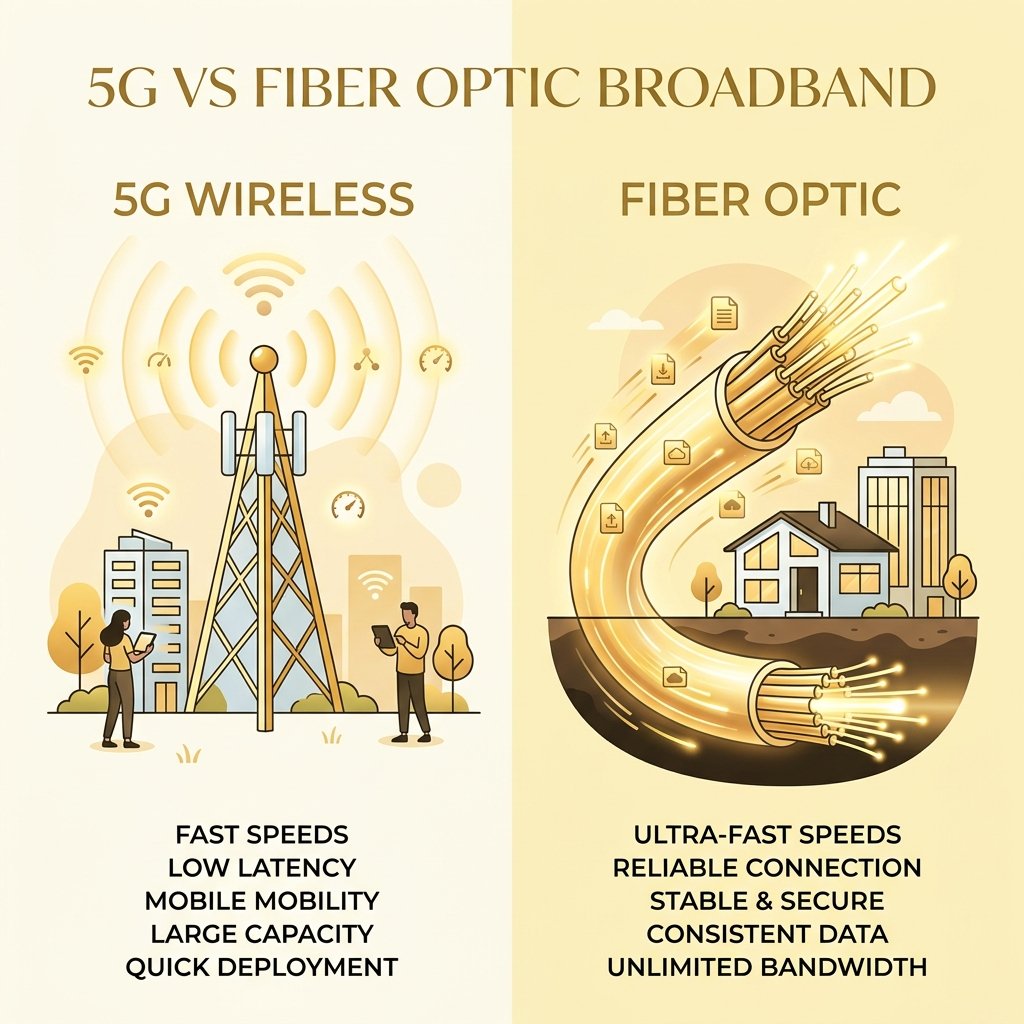
Choosing a home internet service provider used to be simple: you either opted for cable, DSL, or satellite. Today, the landscape is much more complex. Two of the most talked-about options on the market are Fiber Optic and 5G Home Internet. One represents the pinnacle of wired infrastructure, while the other is the spearhead of wireless broadband, also known as Fixed Wireless Access (FWA).
As service providers spend millions of dollars advertising the advantages of their respective platforms, customers are left with a critical question: Can wireless radio waves really replace a physical glass line buried underground? In this comprehensive guide, we will break down the engineering, physical performance, and financial trade-offs between 5G Home Internet and Fiber Optic broadband to help you make an informed decision for your household.
The Broadband Crossroads: Wired Glass vs. Wireless Radio Waves
To understand the differences in user experience between fiber and 5G, we must first look at the underlying physics and network architecture of both systems.
Fiber Optic Internet is a physical, wired technology. It relies on cables containing bundles of microscopic strands of pure silica glass, each about the thickness of a human hair. Data is transmitted across these fibers not as electrical signals, but as pulses of infrared laser light generated by optical transmitters. Because light travels through glass at approximately 200,000 kilometers per second (roughly two-thirds the speed of light in a vacuum), data travels across continents in milliseconds. Fiber optic systems use a dedicated physical link. A line runs from the internet backbone, through the local distribution network, directly to your home’s Optical Network Terminal (ONT). This dedicated medium is closed, meaning your signal remains self-contained inside the glass core, shielded from electromagnetic interference, electrical noise, and environmental factors.
5G Home Internet, on the other hand, is a wireless service. It uses the same cellular network that powers your smartphone. Instead of a physical cable running into your home, your provider installs or ships a 5G gateway (a combined modem and router). This gateway communicates via radio frequency (RF) waves with the nearest cell tower. The cell tower, in turn, is connected to the provider's core network via physical fiber cables (known as the backhaul). 5G operates across three different spectrum bands: low-band (great range, low speed), mid-band (balanced range and speed), and high-band/millimeter-wave (extremely high speed, very short range). Unlike fiber’s closed medium, 5G is an open-medium technology. The airwaves are shared by every active mobile device and gateway in the tower's vicinity, making performance highly dependent on the tower’s capacity and environmental obstacles.
The physical contrast is stark: fiber offers a dedicated, guided medium that carries light pulses in a protected pipe, while 5G offers a shared, unguided medium that broadcasts radio signals through open air. This fundamental difference in physics governs every metric of performance, from speed and latency to reliability and installation complexity.
Speed and Bandwidth Comparison: Symmetrical Fiber vs. Variable 5G
When comparing speeds, the biggest mistake consumers make is looking only at advertised download speeds. While download rates dictate how fast you can stream 4K movies or download games, upload speeds determine how smoothly you can upload large files, run backups, or participate in video conferences.
Symmetrical Fiber: The Ultimate Upload Advantage
Fiber optic networks are designed for symmetric bandwidth. This means your upload speed is identical to your download speed. If you subscribe to a 1,000 Mbps (1 Gbps) fiber plan, you get 1,000 Mbps download and 1,000 Mbps upload.
This symmetry is possible because fiber cables have virtually infinite physical bandwidth. A single optical fiber can carry multiple wavelengths of light simultaneously using Wavelength Division Multiplexing (WDM). This allows the ISP to allocate equal, massive lanes for both upstream and downstream traffic without bottlenecking either. For remote workers uploading video files, content creators streaming to Twitch, or households with multiple simultaneous Zoom calls, symmetric upload bandwidth prevents the packet queuing and bufferbloat that slows down older asymmetrical connections.
Variable 5G: The Asymmetric Spectrum Limits
5G Home Internet is inherently asymmetric and highly variable. Because cellular carriers have a finite amount of wireless spectrum, they must prioritize download traffic, which accounts for over 85% of consumer data usage. As a result, even if your 5G download speed reaches a respectable 300 Mbps, your upload speed will typically be capped between 10 Mbps and 25 Mbps.
Furthermore, 5G speeds are highly dependent on which frequency band your gateway is currently connected to:
In summary, fiber provides a rock-solid, predictable speed that remains constant 24/7. 5G Home Internet provides variable speeds that fluctuate based on your distance from the tower, the frequency band you are on, and the amount of active traffic on the tower.
Latency and Jitter: Why Gamers and Remote Workers Prefer Fiber
For real-time interactive tasks—such as competitive online gaming, video conferencing, financial trading, and remote desktop access—raw bandwidth (Mbps) is secondary to latency (ping) and jitter.
Latency is the time it takes for a packet of data to travel from your device to a server and back, measured in milliseconds (ms). Jitter is the variation in that latency over time. A stable connection has low jitter (e.g., ping consistently staying between 10ms and 12ms), while an unstable connection has high jitter (e.g., ping bouncing between 10ms, 80ms, and 200ms).
The Inherent Latency Advantages of Fiber
Fiber optic internet offers the lowest latency of any residential broadband technology, typically ranging between 2ms and 15ms to local test servers. Because the packet routes through physical fiber-optic cables, it travels along highly direct paths with minimal electronic switching hops.
Furthermore, fiber nodes use dedicated Time Division Multiple Access (TDMA) scheduling or point-to-point connections. Your router doesn't have to "negotiate" for access to the medium; the line is yours. This results in near-zero jitter (usually under 1ms). For an online gamer, this translates to instant hit registration and no "rubber-banding." For a remote worker, it means crisp, instant audio on Zoom without delays or digitized voice distortion.
The Wireless Overhead of 5G Networks
5G Home Internet latency is significantly higher, typically ranging between 30ms and 60ms under ideal conditions, and can easily spike over 100ms during peak congestion.
This delay is caused by the physical overhead of transmitting data over the air. In a cellular network, the gateway must constantly negotiate with the cell tower for "resource blocks." 5G networks use complex scheduling algorithms (like OFDMA) to divide airwaves among hundreds of active smartphones and home routers. When you click a link or send a game input, your gateway must wait for its scheduled transmission window.
Additionally, cellular networks are prone to multipath propagation (signals bouncing off buildings and ground), which requires error correction and retransmissions at the radio link layer. This retransmission overhead causes sudden ping spikes, leading to high jitter. Furthermore, cellular towers prioritize mobile phone traffic over home internet traffic during busy hours (deprioritization), which can cause home internet packets to be queued at the base station, inflating latency and causing packet loss.
If your household relies on real-time responsiveness, fiber is the clear winner. 5G is perfectly adequate for streaming and browsing, but struggles under the demands of competitive gaming and heavy VoIP use.
Reliability, Weather Sensitivity, and Building Attenuation
An internet connection is only as good as its stability. If your line drops or slows down every time it rains or when your neighbors log online, your overall experience suffers.
Why 5G is Sensitive to the Environment
Because 5G relies on radio waves travelling through open air, it is highly susceptible to environmental attenuation (signal weakening) and interference:
The Weatherproof Nature of Fiber
Fiber optic internet is virtually immune to all these issues. Because fiber cables are buried deep underground in protective conduits or suspended from heavy utility poles, they are completely shielded from weather conditions. Heavy rain, wind, snow, and extreme temperatures have zero effect on the light pulses traveling through the glass cores.
Additionally, because glass is a non-conductive insulator, fiber optic lines do not carry electrical currents. This makes them completely immune to:
With fiber, you receive a dedicated physical channel that operates at peak efficiency regardless of the weather, foliage, or how many neighbors are online.
Installation, Setup, and Pricing Structures Compared
The structural differences between fiber and 5G extend beyond performance into the practical aspects of how you order, install, and pay for the services.
Installation Process: Plug-and-Play vs. Professional Trenching
The installation process is where 5G Home Internet shines, offering unparalleled convenience compared to fiber.
5G Home Internet is designed to be a plug-and-play experience. When you sign up, the provider ships you a gateway box. Once it arrives, you place it in your home—ideally near a window facing the nearest cell tower—plug it into a wall outlet, and activate it using a smartphone app. The entire process takes less than 10 minutes, requires no professional installation fees, and does not require drilling holes in your walls or digging up your yard. It is an ideal option for renters or residents who want internet access immediately.
Fiber Optic Installation, by contrast, is a major infrastructure project. Even if fiber is available in your neighborhood, running a physical line to your house requires a professional technician. The process often involves:
Pricing and Contracts: Simplification vs. Value
The pricing structures of these two technologies reflect their target audiences.
While 5G is cheaper and easier to get started, fiber provides significantly higher capacity, reliability, and speed for every dollar spent.
Detailed Comparison: Fiber vs. 5G Home Internet
To help summarize the technical and practical differences between these two options, we have compiled a direct comparison table outlining the key features of both technologies.
| Feature | Fiber Optic Broadband | 5G Home Internet (Fixed Wireless) |
|---|---|---|
| Transmission Medium | Infrared light pulses through silica glass fibers | Radio frequency waves through open air |
| Download Speeds | 300 Mbps to 10,000 Mbps (10 Gbps) | 30 Mbps to 1,000 Mbps (typically 100–300 Mbps) |
| Upload Speeds | Symmetric (300 Mbps to 10,000 Mbps) | Asymmetric (5 Mbps to 50 Mbps, typically 10–20 Mbps) |
| Average Latency (Ping) | 2 ms – 15 ms (highly stable) | 30 ms – 60 ms (highly variable) |
| Average Jitter | < 1 ms | 5 ms – 25 ms (can spike during peak hours) |
| Weather Sensitivity | Completely immune to rain, wind, and lightning | Prone to "rain fade", wind-blown foliage interference |
| Building Attenuation | None (wired connection straight into the home) | Significant (blocked by brick, concrete, low-E glass) |
| Installation | Professional installation required (trenching, drilling) | Self-setup (plug-and-play gateway box) |
| Typical Cost | $50 – $100+ per month (tiered by speed) | $25 – $60 per month (flat rate, mobile bundles) |
| Data Caps | None (unlimited data is standard) | None (but subject to network deprioritization) |
| Best For | Gamers, remote workers, large families, heavy uploaders | Budget-conscious users, renters, areas without wired fiber |
Conclusion: The Final Verdict
When choosing between Fiber Optic and 5G Home Internet, the decision ultimately comes down to your household's usage patterns and physical location.
Choose Fiber Optic If:
Choose 5G Home Internet If:
While 5G Home Internet offers incredible convenience and represents a major leap forward for wireless technology, it cannot match the raw speed, physical reliability, and latency stability of a dedicated fiber optic cable. If fiber is available at your address, it remains the gold standard for home internet connections.