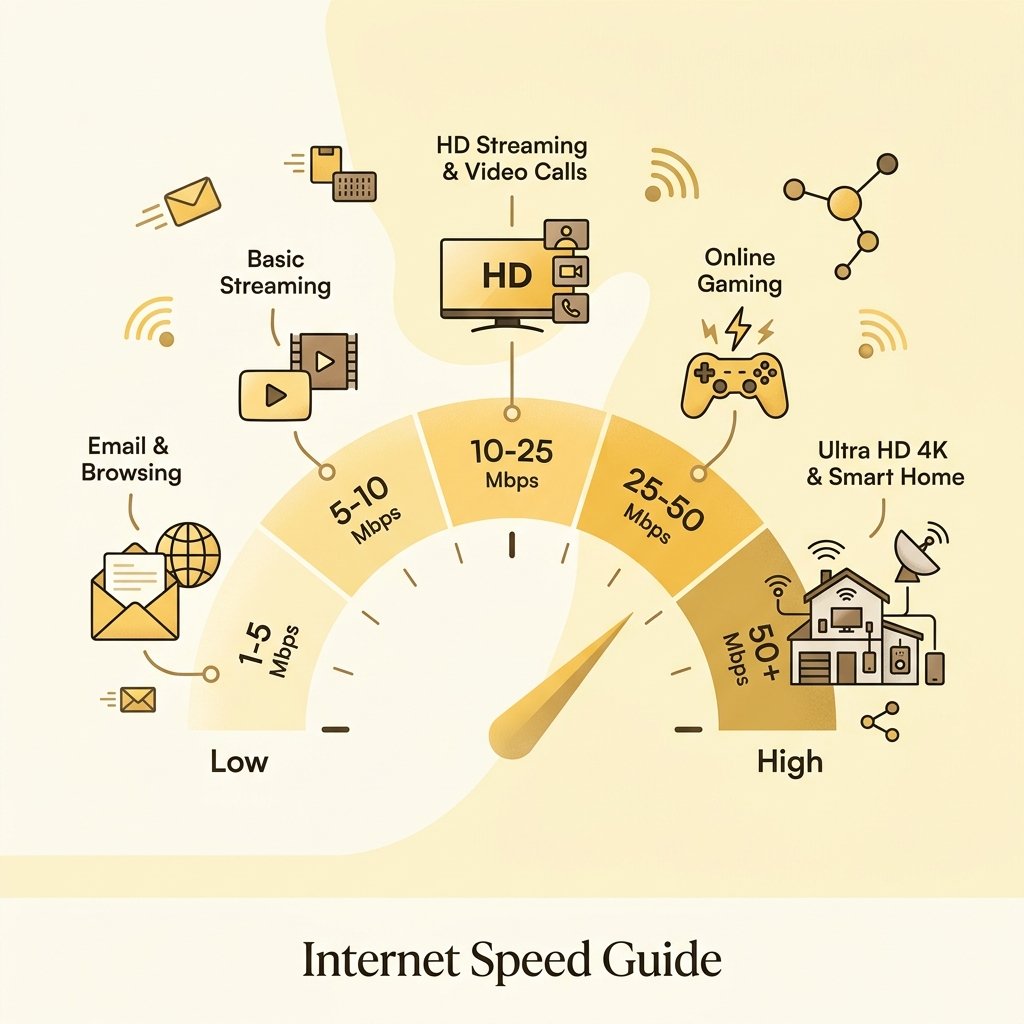
A good internet speed is one that supports all your household devices and activities without slowing down. Learn how to calculate your speed needs based on users and devices.
How to Calculate Your Household Bandwidth Needs
Calculating your household’s bandwidth requirements is far more complex than simply matching your plan to the single heaviest activity you perform. Many users mistakenly believe that if the heaviest activity they engage in is 4K video streaming (which officially requires 25 Mbps), then a 25 Mbps internet plan is sufficient. This assumption ignores the concept of concurrent usage math. In a typical modern household, multiple devices are connected to the network simultaneously, and their data consumption patterns overlap. When multiple users are online, their devices send and receive data in bursts rather than a perfectly smooth, constant stream. A single web page load might spike bandwidth usage to 80 Mbps for two seconds, then drop to zero. If three family members load web pages or start videos at the exact same moment, their individual demand peaks collide, causing immediate congestion and buffering if the total connection capacity is narrow.
To calculate your true concurrent bandwidth load, you must account for both active device usage and the quiet background consumption of idle devices. Even when you are not actively browsing or streaming, connected devices are rarely silent. Smart TVs, mobile phones, gaming consoles, and smart home hubs continuously perform background tasks. These include downloading system updates, syncing photos to cloud storage (such as iCloud, Google Photos, or OneDrive), running telemetry check-ins, and buffering content in anticipation of user interactions. A single modern gaming console updating in the background can easily saturate a 100 Mbps connection if it is not throttled, leaving zero bandwidth for other users. Therefore, calculating household bandwidth requires mapping out every device in the home, estimating their maximum active bandwidth consumption, and adding a baseline background tax for all idle connected hardware.
One of the most critical, yet frequently overlooked, aspects of bandwidth calculation is upload speed. Traditional broadband connections (specifically cable and DSL) are highly asymmetric, offering wide download pipelines but narrow upload channels (for example, a plan with 300 Mbps download but only 10 Mbps upload). When upload bandwidth is fully saturated, download speed suffers dramatically. This occurs because of how the TCP/IP protocol operates. For every chunk of data your device downloads, it must send a small packet back to the server confirming receipt—known as an Acknowledgment (ACK) packet. If your upload channel is clogged by a cloud backup, a video call, or a file transfer, these ACK packets get stuck in a queue. If the sending server does not receive ACKs in a timely manner, it assumes the packets were lost and throttled its transmission rate, causing your download speed to plummet despite having a wide download pipeline. Consequently, you must ensure that your calculated speed needs include sufficient upload capacity for all simultaneous interactive tasks.
To protect your network from the frustrations of lag and buffering, you must incorporate a safety headroom buffer into your calculations. You should never purchase a plan that matches your estimated peak concurrent usage exactly. Doing so leaves your network with zero tolerance for unexpected data bursts, such as an automatic software update starting on a laptop or a smart security camera uploading motion-triggered footage. A professional network recommendation is to add a 20% to 30% safety headroom on top of your calculated peak household usage. For example, if your family’s estimated peak concurrent bandwidth is 150 Mbps, a plan offering at least 200 Mbps is recommended. This extra headroom acts as a buffer, ensuring that temporary surges in data traffic are absorbed smoothly without pushing your router’s queues into saturation and causing bufferbloat.
Internet Speed Tiers Comparison
To simplify the process of selecting an internet service provider plan, bandwidth requirements are generally grouped into distinct speed tiers. These tiers are designed to match different household sizes, device densities, and usage patterns. Choosing the correct tier ensures that you do not overpay for unused gigabit capacity, while avoiding the constant slow-downs of an under-powered connection.
The table below provides a comprehensive comparison of standard internet speed tiers, detailing recommended households, device counts, and the online activities they support.
| Household Size | Recommended Speed Range | Active Devices Supported | Typical Use Cases |
|---|---|---|---|
| 1 - 2 Users (Light / Moderate) | 50 - 100 Mbps | 3 - 6 devices | Comfortable for web browsing, social media, sending emails, 1-2 concurrent High Definition (1080p) video streams, and casual video conferencing. |
| 3 - 4 Users (Moderate / Heavy) | 200 - 400 Mbps | 8 - 15 devices | Excellent for families. Supports multiple concurrent 4K Ultra HD streams, intensive remote work, online multiplayer gaming, frequent video calls, and cloud backups. |
| 5+ Users (Heavy / Power) | 500 - 1,000 Mbps (Gigabit+) | 15+ devices | Designed for smart homes with dozens of connected devices, high-frequency remote work, multiple gamers, simultaneous 4K streams, and frequent large file transfers (50GB+). |
Detailed Breakdown of Speed Tiers
The 50 - 100 Mbps tier represents the modern baseline for broadband internet. For single individuals or couples living in apartments with minimal device footprints, this range is highly capable. A 100 Mbps connection can easily support a 4K stream on the living room TV while another person browses social media and works on a laptop. However, the limitations of this tier become apparent during heavy file downloads. Downloading a modern 100 Gigabyte game update at 100 Mbps takes approximately two hours and fifteen minutes, during which the connection is completely saturated unless download speeds are manually capped in the client software. Furthermore, these plans often come with very low upload speeds (5 to 10 Mbps), making them less suitable for users who frequently upload large media files.
The 200 - 400 Mbps tier is the sweet spot for the vast majority of modern families. This range provides a comfortable balance between cost and performance, offering enough bandwidth to handle several high-demand tasks simultaneously. Parents can participate in HD Zoom calls, children can play online games with stable pings, and smart TVs can stream 4K movies without any user experiencing interruptions. In this tier, download speeds are fast enough that large files download in a fraction of the time (a 100 GB game takes about 35 to 45 minutes), and upload speeds are typically bumped up to 10 to 20 Mbps, providing a much more stable environment for remote work and education.
The 500 - 1,000 Mbps (Gigabit) tier is designed for power users, large households, and homes with extensive smart automation systems. When you have dozens of active connected devices—including smart speakers, lighting hubs, security cameras, smart thermostats, and multiple personal computers—the cumulative idle overhead can quickly bog down lesser connections. A gigabit plan, particularly when delivered over symmetric fiber-optic networks, eliminates bandwidth as a bottleneck entirely. Downloading a 100 GB file takes less than 15 minutes, and multiple users can stream, game, upload, and download simultaneously without a single packet being delayed. This tier is also highly recommended if your household features multiple remote professionals who frequently handle massive datasets, video rendering, or virtual machine hosting.
Speed Requirements for Remote Work & Education
The rise of remote work and online education has transformed home internet from a source of entertainment into a critical utility. Unlike streaming pre-recorded video, remote work and learning applications require highly interactive, bi-directional, and real-time data transmission. Video conferencing tools like Zoom, Microsoft Teams, Google Meet, and Webex are particularly sensitive to network performance. While a basic one-on-one video call in standard definition requires only about 1.5 Mbps of upload and download bandwidth, modern business environments demand much more. A large-group meeting with dozens of video streams in "gallery view" requires decoding multiple incoming video feeds simultaneously, which pushes download requirements to 8-10 Mbps. Furthermore, if you want to stream in full 1080p High Definition, your system must compress and transmit high-fidelity video in real-time, requiring a stable, unthrottled 4-6 Mbps upload stream per active camera.
Screen sharing adds another layer of complexity to the bandwidth equation. When you share your desktop or present slides, the video conferencing software must capture high-resolution images of your screen, compress them, and distribute them to all participants instantly. If you are sharing dynamic content—such as a video clip, a CAD model, or a fast-scrolling spreadsheet—the encoder must transmit a rapid series of full-frame updates. If your upload speed is restricted or experiencing jitter, the screen share will appear highly pixelated, freeze for several seconds, or desynchronize from your audio. For crisp, professional presentations and interactive online classes, you should allocate at least 5 Mbps of dedicated upload headroom solely for screen sharing activities.
Large file transfers are a major source of home network tension for remote professionals. Graphic designers, video editors, software engineers, and researchers frequently need to upload and download massive files, such as video drafts, raw images, CAD models, database backups, and software builds. If you work on a standard asymmetric cable connection with a 10 Mbps upload limit, uploading a 10 Gigabyte video file to a corporate server or cloud drive takes nearly two and a half hours. During this time, the upload channel is 100% saturated, which causes severe ping spikes, broken audio on Zoom calls, and slow loading pages for everyone else in the house. In contrast, a symmetric fiber-optic connection with a 300 Mbps upload speed handles the same 10 GB file in under five minutes, minimizing disruption to the rest of the household.
Remote desktop connections—such as Remote Desktop Protocol (RDP), Citrix Workspace, Teradici PCoIP, and AWS WorkSpaces—operate on a different principle than video streaming. These systems do not buffer data in advance; instead, they capture keyboard inputs, mouse movements, and screen updates on the remote server and stream them to your local monitor in real-time. While RDP is relatively bandwidth-efficient, typically requiring only 1.5 to 3 Mbps of constant bandwidth, it is extremely sensitive to latency and packet loss. If your ping exceeds 100 milliseconds or if your connection drops packets, your mouse cursor will feel sluggish, keys will register with a delay, and screen redraws will stutter. To maintain a productive, fluid remote desktop session, your connection must prioritize low latency and high stability over raw download capacity.
Speed Requirements for Entertainment & Gaming
Entertainment is the largest driver of residential data consumption worldwide. Video streaming services like Netflix, YouTube, Disney+, Apple TV+, and Prime Video consume massive amounts of download bandwidth, and their requirements scale dramatically with video resolution. Standard Definition (480p) streaming requires a meager 1.5 to 3 Mbps, while High Definition (1080p) requires 5 to 10 Mbps. However, 4K Ultra HD streaming is a different beast entirely, requiring a minimum of 25 Mbps of stable bandwidth per screen. It is vital to understand the difference between average bitrate and peak bitrate. A 4K stream might average 15 Mbps over the course of a movie, but during highly detailed, fast-moving action scenes, the video encoder must transmit far more data, causing the peak bitrate to surge to 40 or 50 Mbps. If your internet speed cannot accommodate these sudden peaks, the video player’s buffer will empty, causing the video to freeze or drop to a pixelated, lower resolution.
Online multiplayer gaming is unique because it demands almost no raw speed but requires absolute connection stability. When playing games like Counter-Strike, Call of Duty, Fortnite, or League of Legends, the actual data packets sent between your device and the game server are tiny, containing only coordinates, action states, and player inputs. This traffic typically consumes less than 1 Mbps of bandwidth. Instead of speed, gaming relies on three key metrics: low latency (ping), stable jitter, and zero packet loss. Ping measures the round-trip time for your action to reach the server and return. A ping under 30ms is considered competitive, while a ping over 100ms makes real-time actions feel sluggish. Jitter represents the fluctuation in latency; high jitter causes sudden stuttering and rubber-banding. Packet loss occurs when data is dropped along the route, preventing your actions from registering. For gaming, a dedicated, wired Ethernet connection is far superior to WiFi, as it eliminates local wireless interference and stabilizes ping.
The modern entertainment ecosystem also includes a growing array of smart home devices that operate silently in the background. While a smart light bulb or smart plug consumes negligible bandwidth (often only a few kilobytes per day), other smart devices are highly resource-intensive. Smart security cameras and video doorbells (such as Ring, Nest, or Arlo) are major upload consumers. If configured to record continuously to the cloud in High Definition, a single camera can consume 2 to 4 Mbps of continuous, non-stop upload bandwidth. If you install four HD security cameras around your property, they will constantly monopolize 8 to 16 Mbps of upload speed. If your plan only provides 10 Mbps upload, your cameras will saturate the upload link, leading to high latency, constant buffering, and connection drops across all other household devices. When planning your speed requirements, you must account for the continuous tax of smart security hardware.
What Happens When You Exceed Your Bandwidth Cap?
When your household’s collective data demand exceeds the maximum bandwidth provided by your internet plan, the network does not simply stop working. Instead, it experiences a series of technical degradations that severely impact the user experience. The first and most noticeable symptom is bufferbloat. To prevent packet loss, routers use memory buffers to temporarily store excess data packets that cannot yet be sent over the saturated line. However, if the connection remains fully saturated, these buffers fill up completely, creating a long queue. Time-sensitive packets (like a button press in an online game or an audio frame in a voice call) must wait behind large, non-urgent data blocks (like a file download or a Netflix video block). This causes your ping to spike from a normal 20ms to 500ms or higher, making interactive applications unusable.
If the bandwidth saturation continues and the router’s memory buffers become completely full, the device has no choice but to start dropping incoming packets—a state known as packet loss. In TCP-based applications (like web browsing and file transfers), packet loss forces the client and server to negotiate retransmissions, which further slows down the effective throughput and can cause web pages to time out or download corrupt files. In UDP-based real-time applications (like live video calls and online gaming), dropped packets cannot be retransmitted because the data is time-critical. This results in disjointed, robotic voices, frozen video frames, and in-game characters teleporting randomly across the screen.
Exceeding your bandwidth capacity also triggers automatic quality downscaling in streaming media players. Modern streaming protocols use adaptive bitrate streaming (ABR), which constantly monitors the network’s download speed. If the player detects that the incoming data rate has dropped below the threshold required for the current video resolution, it will automatically request the next video chunk in a lower resolution. This prevents the video from stopping completely to buffer, but it results in a sudden drop in visual quality, shifting your crisp 4K movie into a blurry, pixelated 720p or 480p image. Additionally, web pages will load with significant delays, often rendering text first while failing to load heavy CSS stylesheets, Javascript files, and high-resolution images, leaving the user with broken layouts.
Finally, extreme network saturation can place a heavy computational load on your home router’s hardware, leading to router CPU saturation. A router is essentially a small, specialized computer. When your connection is fully saturated, the router’s processor must work at maximum capacity to manage deep packet queues, compute Network Address Translation (NAT) tables for dozens of devices, enforce firewall rules, and maintain wireless encryption. Older or cheaper routers provided by ISPs often have low-powered processors and limited RAM. When pushed to their limit, these routers can overheat, experience memory leaks, or freeze entirely, causing the entire home network to crash and requiring a physical power cycle (unplugging the router) to restore service.