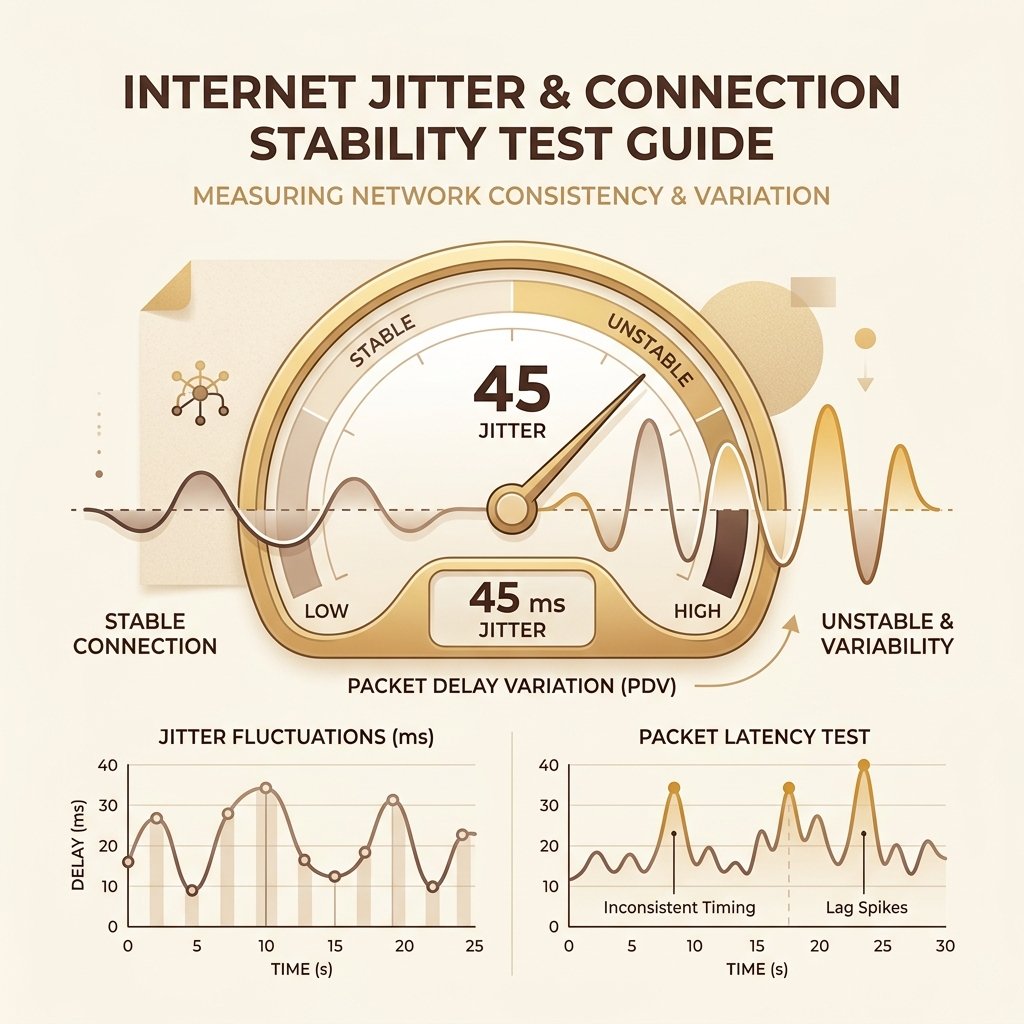
Jitter measures the variation and consistency of network latency over time. While low latency is great, high variation (jitter) leads to an unstable, frustrating connection.
What is Network Jitter in Technical Terms?
To understand network jitter in technical terms, one must first view the internet not as a continuous, flowing stream of information, but as a rapid series of discrete data packets. When your device communicates with a remote server, it breaks down your actions, voice, or video into thousands of individual packets. Each packet is stamped with a header containing routing information, sequencing data, and payloads, and then sent out across a complex web of routers, switches, optical fibers, and wireless links. In a perfect, theoretical network environment, every single packet would follow the exact same physical path, face identical queueing times, and arrive at the destination with perfectly uniform spacing. For instance, if a server transmits packets every 10 milliseconds, they would arrive at your device exactly 10 milliseconds apart, resulting in a perfectly stable latency (e.g., a constant 20ms ping). In this scenario, network jitter is exactly zero. However, real-world networks are dynamic, asynchronous, and shared environments, meaning packet delivery timing is rarely consistent.
This inconsistency is referred to in technical standards as Inter-Packet Delay Variation (IPDV), defined by organizations like the Internet Engineering Task Force (IETF) in RFC 3393. IPDV is a measurement of the variation in the latency of packet arrivals between two endpoints. As packets navigate the public internet, they encounter various network nodes. Each node—whether it is a local home router, a carrier-grade network switch, or an international gateway—must receive, process, queue, and forward each packet. If a router suddenly experiences a burst of traffic from another user, your packet will be held in a queue (memory buffer) until the router can transmit it. The first packet might pass through unimpeded, taking 25ms. The second packet might arrive at a congested router, waiting in the queue and taking 95ms. The third packet might find the queue empty again, taking 22ms. The variation in these transit times is what we call jitter. When packets arrive at highly irregular intervals, they can even arrive out of order, forcing the receiving device to either rearrange them or discard them entirely if they arrive too late. In mathematical terms, IPDV isolates the difference in delay between two consecutive packets, offering a granular view of network consistency.
To mitigate this arrival variation and prevent immediate audio or video disruption, receiving endpoints employ a critical component known as a jitter buffer. A jitter buffer is a temporary storage area (RAM) where incoming packets are collected, reordered, and held for a brief period before being sent to the application's processor. By intentionally introducing a small, controlled amount of delay (the buffer size), the receiving device can release the packets at a constant, smooth pace, masking the underlying fluctuations in packet arrival times. There are two primary types of jitter buffers: static and dynamic. A static jitter buffer is configured with a fixed delay size (e.g., 50ms). If a packet arrives more than 50ms late, it is dropped. A dynamic jitter buffer, on the other hand, continuously monitors the network's IPDV and automatically adjusts its size—expanding when jitter is high to prevent packet loss, and contracting when jitter is low to minimize unnecessary latency. However, jitter buffers have physical limits: if the buffer is too small, packets that arrive late are discarded, resulting in missing data (codec dropouts); if the buffer is too large, it introduces noticeable, frustrating delay to real-time interactive conversations. The delicate balance between buffer latency and packet discard rate remains one of the primary engineering challenges in all real-time communication software.
Why Jitter is the Silent Connection Killer
Many internet users believe that having high download speeds (like 500 Mbps or 1 Gbps) and a low average ping guarantees a perfect connection. This is a common misconception. Jitter is the silent connection killer because it can render a high-speed, low-average-latency connection completely unusable for real-time applications. Consider a Voice over IP (VoIP) conversation on platforms like Zoom, Microsoft Teams, or Discord. These applications rely on a steady flow of audio data. When jitter spikes, the arrival times of audio packets fluctuate wildly. If packets are delayed beyond the capabilities of the dynamic jitter buffer, the codec cannot decode the audio in real-time. This results in the classic symptoms of VoIP instability: digitized 'robotic' voices, syllables or entire words cut in half, and sudden silent gaps followed by a rapid, chipmunk-like burst of audio as the application tries to catch up. For business meetings and remote work, this is highly disruptive, forcing users to constantly repeat themselves despite having fast fiber-optic connections.
In the realm of online multiplayer gaming, jitter is often far more frustrating than a high, stable ping. Modern games use prediction algorithms and client-side interpolation to smooth out character movement. If your ping is a stable 100ms, the game client can easily predict where other players will be in the next frame because the delay is consistent. However, if your ping is fluctuating between 20ms and 150ms from second to second (high jitter), the game's latency prediction engine fails. This causes 'rubber-banding'—where your character or other players teleport backward and forward as the server and client try to synchronize their diverging state estimations. It also leads to hit registration failure (often called 'no-regs'), where you shoot at an enemy on your screen, but the server registers your shot at a time when the enemy had already moved, nullifying your actions. In fast-paced competitive shooters, sports simulations, or fighting games, high jitter makes precise aiming and reaction-based play virtually impossible. A gamer with 15ms average ping but 30ms jitter will often perform significantly worse than a gamer with a steady, unvarying 50ms ping, demonstrating that stability is the true foundation of gaming performance.
Real-time streaming protocols, particularly those used for live broadcasts (like Twitch, YouTube Live, or interactive webinars), are also heavily impacted by jitter. Unlike traditional video-on-demand services (like Netflix or Disney+) which can buffer several minutes of video in advance, live streaming requires low glass-to-glass latency, meaning the buffer must be kept as small as possible. When network jitter spikes, the playback buffer is quickly depleted, causing the video to freeze while the loading circle spins. Even if the video resumes, the application must often degrade the quality to a lower resolution to cope with the unstable delivery rate, or artificially speed up playback to realign with the live broadcast feed. For the viewer, this creates a disjointed and unpleasant viewing experience that speed tests focusing solely on raw download throughput fail to predict. Because modern video codecs rely on temporal compression—sending full reference frames followed by small incremental update frames—any packet loss or delayed packet arrival due to jitter can corrupt the video rendering buffer, resulting in colorful blocky artifacts, pixelated screens, and momentary green flashes.
Furthermore, jitter severely degrades productivity tools that remote workers rely on daily. Secure Shell (SSH) sessions, which system administrators use to manage servers, are highly sensitive to timing. During high jitter periods, keystrokes typed into the terminal will pause and then appear all at once, destroying the fluid feedback loop necessary for writing code or executing commands. Similarly, remote desktop protocols like Microsoft RDP, Citrix, and VNC suffer immensely. Because these protocols transmit incremental screen updates in real-time, high jitter causes mouse movements to feel heavy, sluggish, and floaty. The cursor appears to jump across the screen rather than gliding smoothly, leading to misclicks and general user frustration. In these environments, consistency of packet arrival is vastly more important than the overall bandwidth capacity of the link. If every keystroke or mouse movement takes a variable amount of time to register, the brain struggles to build the muscle memory required for precise navigation, making remote work feel laborious and inefficient.
Jitter Quality Scales and Classification
To systematically diagnose network quality, engineers use defined scales to classify jitter measurements. While there is no single global standard, industry practices from the ITU-T (International Telecommunication Union) and VoIP hardware manufacturers provide realistic benchmarks. These benchmarks evaluate jitter in milliseconds (ms) and translate them into stability ratings, describing how the metric impacts daily internet usage. In general, a stable connection should exhibit jitter in the single digits, while anything above 30ms is a clear indicator of network congestion, local interference, or hardware bottlenecks.
Understanding these classifications allows users to interpret their speed test diagnostics accurately. Rather than looking only at download speeds, reviewing the jitter metric provides the context needed to understand why a Zoom call is dropping or why a game is stuttering. The table below outlines these ranges, their corresponding stability ratings, and their real-world impact across various online activities. Note that for highly sensitive protocols like real-time interactive audio (such as digital music collaboration tools), even small variations of 3-5ms can be disruptive, whereas general web browsing can tolerate higher fluctuations.
It is important to note that jitter values are highly dynamic and can change rapidly depending on network utilization. A connection might report an excellent jitter rating of 2ms when the household is sleeping, but degrade to an unstable 40ms during the evening when multiple family members are streaming, downloading updates, or gaming simultaneously. Therefore, performing speed and stability diagnostics at different times of the day is crucial to identifying intermittent connection issues. Furthermore, when analyzing speed test results, it is helpful to look at both download and upload jitter separately. Upload jitter is often higher on asymmetrical connections (like cable and DSL), where the upstream channel is narrow and easily saturated, leading to buffer queueing that ruins voice transmission quality even if incoming audio is clear.
| Jitter Range | Stability Rating | Real-world Usability & Impact |
|---|---|---|
| < 1 ms | Pristine | The absolute gold standard. Typically only achieved on high-end fiber-optic connections or local enterprise networks. Flawless performance for competitive gaming, real-time financial trading, and uncompressed audio production. |
| 1 - 5 ms | Excellent | Highly stable and consistent. Standard for well-optimized fiber and high-quality cable connections. Perfect for all real-time applications including HD video conferencing, VoIP, and competitive gaming. |
| 5 - 15 ms | Good | Stable connection. Typical for average cable, DSL, and high-quality fixed wireless setups. Conversational audio is clear, and multiplayer gaming remains highly responsive with negligible lag spikes. |
| 15 - 30 ms | Fair | Moderate stability. Often seen on older DSL lines, crowded WiFi, or cellular connections. Minor audio fluctuations may occur in VoIP calls, and gamers might experience occasional minor stuttering. |
| 30 - 50 ms | Poor / Unstable | Noticeable instability. Common in congested WiFi networks or over-utilized broadband nodes. Video calls will experience occasional freezes and robotic voices. Gaming feels sluggish with frequent rubber-banding. |
| > 50 ms | Critical Lag / Broken | Severely unstable. Indicates severe local network congestion, wireless interference, or ISP-side routing failures. Real-time voice and video calls will drop out frequently. Online multiplayer gaming is unplayable. |
How is Jitter Calculated Mathematically?
To diagnostic platforms and network engineers, jitter is not just a vague feeling of lag; it is a mathematically defined metric. The most common method of calculating jitter in consumer-grade speed tests is the Mean Absolute Difference of successive latency measurements. When a speed test runs, it sends a sequence of packets (probes) at fixed intervals and measures the round-trip time (RTT) for each. Let R_i represent the round-trip time of the i-th packet. The absolute difference in latency between the first and second packet is |R_2 - R_1|. The difference between the second and third is |R_3 - R_2|, and so on. To find the average jitter over a series of N packets, we sum these absolute differences and divide by the number of intervals, which is N - 1. The mathematical formula is written as: Jitter = [1 / (N - 1)] * Sum(|R_(i+1) - R_i|). This calculation provides a direct representation of the average fluctuation between consecutive packets, highlighting short-term instability. It is straightforward to compute in web browsers and simple CLI probes, and provides an immediate window into the raw volatility of the link.
While the Mean Absolute Difference is ideal for quick diagnostic tests, professional networking hardware and real-time protocols utilize a more sophisticated formula defined in RFC 3550 for the Real-time Transport Control Protocol (RTCP). The RTCP jitter calculation uses an exponential moving average to smooth out transient spikes and provide a more stable running estimate of network conditions. Let S_i be the RTP timestamp from packet i, and R_i be the time of arrival in RTP timestamp units for packet i. For two packets, i and j, the difference in relative transit time, D, is calculated as: D(i,j) = (R_j - R_i) - (S_j - S_i) = (R_j - S_j) - (R_i - S_i). This formula isolates the network transit variation by comparing the relative time elapsed between packet transmission and arrival. Once the transit difference D is calculated for consecutive packets i-1 and i, the running jitter J(i) is updated using the formula: J(i) = J(i-1) + [|D(i-1,i)| - J(i-1)] / 16. The division by 16 acts as a smoothing filter, equivalent to a first-order low-pass filter, giving current measurements a weight of 1/16 and historical data a weight of 15/16. This mathematical smoothing prevents a single anomalous delay spike from skewing the reported jitter value too heavily, mirroring the way modern VoIP systems adapt their buffers.
The key difference between these calculation methods lies in their application. The Mean Absolute Difference is highly sensitive to every single spike, making it perfect for detecting momentary network hiccups, wireless packet drops, or bufferbloat occurrences during a speed test. The RTCP RFC 3550 formula is designed for ongoing monitoring, allowing voice and video codecs to make gradual, calculated adjustments to their dynamic jitter buffers rather than constantly expanding and contracting the buffer size, which would itself introduce audio distortions. Understanding these mathematical models helps explain why different network tools might report slightly different jitter values for the same underlying connection, as each algorithm prioritizes different aspects of latency consistency. Furthermore, some tests measure jitter during active download and upload throughput phases (referred to as loaded jitter or ping-under-load jitter), which is critical for identifying bufferbloat, while other tests measure jitter only in an idle state.
Definitive Guide to Solve Jitter Spikes
Resolving high network jitter requires systematically identifying and eliminating sources of delay variation along the data path. In the vast majority of residential and small business environments, the primary source of jitter is the local wireless network. WiFi operates as a half-duplex medium, meaning a wireless radio channel can only transmit or receive data at any given moment, not both simultaneously. It relies on Carrier Sense Multiple Access with Collision Avoidance (CSMA/CA). Before your computer can transmit a packet, it must listen to the wireless spectrum to ensure no other device (such as your phone, smart TV, or a neighbor's router) is currently broadcasting. If the channel is occupied, your device backs off and waits a random interval before trying again. This contention process introduces variable delays for every packet. Furthermore, physical obstacles, electromagnetic interference from household appliances (like microwaves and baby monitors), and crowded radio channels in apartment buildings lead to corrupted wireless frames. When a frame is corrupted, the physical layer must retransmit it, instantly inflating that packet's latency and creating massive jitter spikes.
The single most effective and definitive solution to eliminate wireless jitter is to switch to a physical wired Ethernet connection. Physical Ethernet cables (such as Cat6 or Cat6a) operate in full-duplex mode, allowing simultaneous upload and download traffic without collision domains or airwave contention. Ethernet is also completely shielded from external electromagnetic interference. By replacing a WiFi link with a physical cable, you bypass the CSMA/CA back-off algorithms and link-layer retransmissions entirely. For gaming, voice calls, and remote work, this simple hardware change typically drops average jitter to under 1ms and completely eliminates random ping spikes, providing an immediately noticeable improvement in stability. Even in situations where running a long Ethernet cable seems impractical, options such as utilizing existing coaxial outlets via MoCA (Multimedia over Coax) adapters can provide a wired-equivalent backhaul that outperforms WiFi.
If a physical cable is not an option, or if your jitter issues persist on a wired connection, the next step is addressing router bufferbloat and queueing. When your internet connection is heavily utilized—such as when a family member is downloading a game update or streaming 4K video—your router's buffers fill up, creating a bottleneck. Standard routers process packets on a First-In, First-Out (FIFO) basis. This means small, time-sensitive packets (like a keystroke in SSH or a voice frame in Discord) get stuck in a deep buffer behind massive download packets. To resolve this, you must configure Smart Queue Management (SQM) on your router. SQM replaces FIFO queueing with advanced algorithms like FQ_CoDel (Fair Queueing Controlled Delay) or Cake. These algorithms separate traffic into individual flows and prioritize small, interactive packets over large bulk data transfers. Setting up SQM ensures that your ping remains low and your jitter stays stable, even when your total bandwidth is 100% saturated.
Advanced users can also optimize their device's operating system and network interface card (NIC) settings to reduce micro-jitter. By default, modern operating systems enable features designed to reduce CPU utilization at the cost of latency consistency. One such feature is Interrupt Moderation or Packet Coalescing. This technology instructs the network card to hold incoming packets in its memory buffer and trigger a single hardware interrupt to the CPU for a batch of packets, rather than interrupting the CPU for every single packet. While this saves CPU cycles, it introduces artificial micro-jitter by delaying the processing of the first few packets in the batch. For real-time applications, navigating to your network adapter's advanced properties in Device Manager and disabling 'Interrupt Moderation' or 'Packet Coalescing' can produce a smoother, more consistent packet processing flow. Similarly, disabling energy-saving features like 'Green Ethernet' or 'Energy Efficient Ethernet' prevents the network adapter from entering low-power sleep states during micro-seconds of inactivity, avoiding the wake-up latency that contributes to jitter.
Finally, network administrators should optimize the Maximum Transmission Unit (MTU) size and ensure proper packet flow to prevent fragmentation. The standard MTU size for Ethernet networks is 1,500 bytes. This represents the maximum size of a single packet that can be transmitted across the network. If your router or ISP is configured with a lower MTU (common on PPPoE connections used by some DSL and fiber providers), or if you are using a VPN that adds encryption headers, a 1,500-byte packet will exceed the MTU. In this case, routers along the path must fragment the packet into two smaller packets. Packet fragmentation is computationally expensive for routers, requiring them to split the data, generate new headers, and reassemble the fragments at the destination. This variable processing overhead introduces immediate jitter. You can determine your network's optimal MTU by running a ping test with the 'do not fragment' flag enabled (e.g., ping -g 1472 -D on macOS or ping -f -l 1472 on Windows) and adjusting your router's MTU setting to match the largest size that passes without fragmentation, ensuring clean, unfragmented data flow.